geometryGroup() in SwiftUI: Why Your Custom Animation Curve Gets Ignored
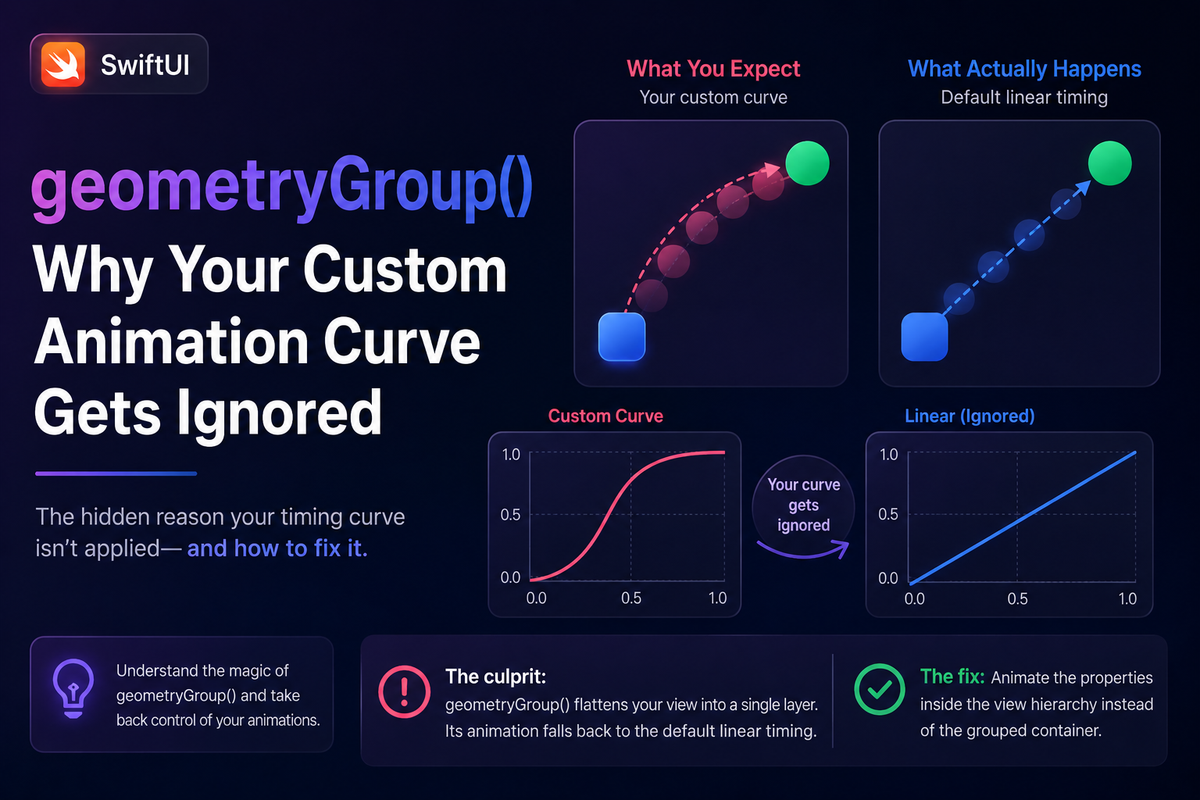
You wired up a phaseAnimator to shake a button when a form fails validation, and you wrote a short, sharp .linear curve in the animation: closure so the shake feels mechanical. You run it — and the button springs instead. Soft, bouncy, completely wrong. The curve you asked for is being ignored, and there is no warning, no console message, nothing in the debugger to tell you why.
This isn't a bug in your code, and it isn't random. It's a direct consequence of how SwiftUI carries animations down the view tree — and once you can see that path, the fix is a single line. The catch is that the line has to go in exactly the right place.
The setup that looks correct
Here's the kind of code that triggers it: a submit button that shakes horizontally through a few phases whenever a trigger value changes.
import SwiftUI

struct SubmitButton: View {
    @State private var shake = 0

    var body: some View {
        Button("Submit") { shake += 1 }
            .buttonStyle(.borderedProminent)
            .phaseAnimator([0, -10, 10, 0], trigger: shake) { view, dx in
                view.offset(x: dx)
            } animation: { _ in
                .linear(duration: 0.06)   // sharp, mechanical shake
            }
    }
}
Every part of this reads correctly. The phases describe the shake, the trigger drives it, and the animation closure clearly asks for a fast linear curve. Yet the offset animates with a spring. Swap in .linear(duration: 2) to make the problem obvious and the button still settles on its own timing, ignoring you entirely.
Why the curve never reaches your offset
SwiftUI doesn't animate the offset modifier at the spot where you wrote it. Animations travel down the view hierarchy inside a transaction, and geometry changes — position and size — are resolved at the leaf views, the ones that actually draw. Each leaf independently reads the active transaction and applies the animation to its own frame. This coalescing is normally exactly what you want: one consistent animation, resolved as late as possible.
It breaks when a leaf has an animation of its own. A Button carries internal, undocumented animation state — the gentle settle you see when it returns from its pressed appearance. At the leaf, that built-in animation takes precedence over the transaction curve you supplied. Your .linear is technically present in the transaction; it just never wins the contest at the node where the offset is finally applied. The modifier reads correctly and does nothing.
The fix: one line, in the right place
Insert geometryGroup() inside the content closure, before the offset:
.phaseAnimator([0, -10, 10, 0], trigger: shake) { view, dx in
    view
        .geometryGroup()      // resolve and animate geometry HERE
        .offset(x: dx)
} animation: { _ in
    .linear(duration: 0.06)
}
geometryGroup() inserts a barrier between a view and its subviews. Instead of letting each leaf resolve geometry on its own, it forces the position and size to be resolved and animated at the group level, using the current transaction, and then passes the already-animated values down. Your linear curve now drives the group's frame, and the button's internal animation no longer gets a vote. The shake is sharp, exactly as written.
Placement is the whole trick
The order matters. geometryGroup() only governs the geometry of the subviews beneath it, so it has to sit above the layout modifier you want grouped — here, above .offset. Put it after the offset and you've grouped nothing relevant; the behavior is unchanged and it looks like the fix "didn't work." Whenever you reach for it, ask which modifier's geometry needs to be resolved as a single unit, and place the group directly above that modifier.
The same barrier fixes a second bug
There's a second, unrelated-looking glitch with the same root cause: a child inserted while its container is mid-animation snaps to the container's final frame instead of animating in from the current one.
struct ExpandingCard: View {
    @State private var expanded = false

    var body: some View {
        VStack(alignment: .leading, spacing: 8) {
            Text("Tap to expand").font(.headline)
            if expanded {
                Text("This detail line is inserted as the card grows.")
            }
        }
        .padding()
        .frame(maxWidth: .infinity, alignment: .leading)
        .frame(height: expanded ? 160 : 64)
        .geometryGroup()      // children ride the card's in-flight frame
        .background(.regularMaterial, in: .rect(cornerRadius: 16))
        .onTapGesture { withAnimation(.smooth) { expanded.toggle() } }
    }
}
Without the group, the newly inserted Text has no in-flight geometry to anchor to, so it's positioned against the card's final 160-point height and pops into place. geometryGroup() makes the container resolve and animate its own geometry continuously, handing intermediate frames to its children — so the inserted line animates from where the card actually is at that moment.
geometryGroup() is not drawingGroup()
The most common wrong turn here is reaching for drawingGroup() because the names rhyme. They solve completely different problems. drawingGroup() flattens a subtree into a single offscreen image before rendering — it's a performance tool, and it will quietly soften text and break some interactivity if you apply it for layout reasons. geometryGroup() rasterizes nothing; it only isolates how geometry is resolved and animated. When animations misbehave, geometryGroup() is the one you want. And don't sprinkle it everywhere: the default coalescing is the right behavior almost all of the time, so add a barrier only where a container and its descendants are both animating.
Summary
SwiftUI resolves geometry at leaf views, and a leaf with its own animation — like a Button — will override the curve you set in phaseAnimator. geometryGroup() moves that resolution up one level so your animation drives the whole group, fixing both ignored curves and children that jump to a container's final frame. It's available on iOS 17, macOS 14, and later, costs one line, and adds no dependencies — just remember to place it above the layout modifier you want it to govern.