SwiftUI's alert(item:) and confirmationDialog(item:): No More Fake Identifiable Structs
Every item-driven presentation in SwiftUI used to come with a tax: your model had to conform to Identifiable. sheet(item:), popover(item:), fullScreenCover(item:) — all of them take a Binding<Item?>, but only if Item can hand back a stable id. For a throwaway struct built for exactly one confirmation prompt, that meant either bolting on a synthetic id, or falling back to a pair of @State properties: a Bool to say something is showing, and a separate optional to say what.
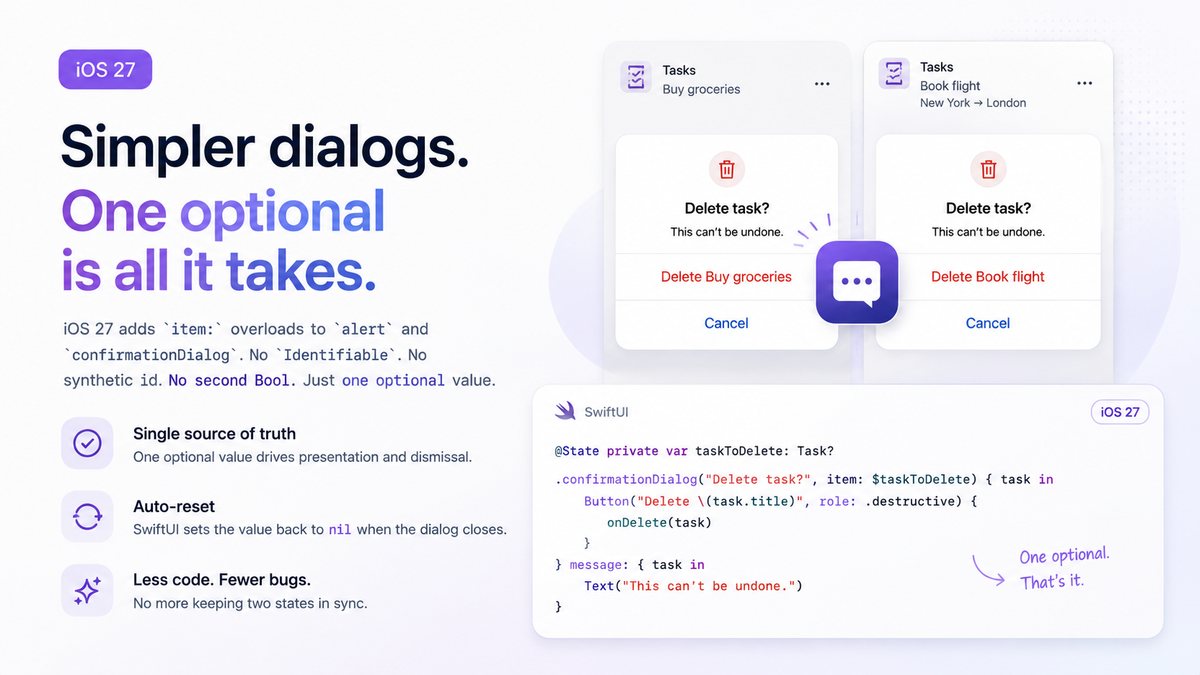
iOS 27 closes that gap for the two presentation APIs that see it the most: alert and confirmationDialog. Both now accept a plain Binding<Item?> — no Identifiable, no synthetic id, and no second Bool to keep in sync.
The old two-state dance
Before iOS 27, presenting a confirmation for a specific value meant pairing isPresented with a presenting: argument:
import SwiftUI

struct Task {
    var title: String
}

struct TaskDetailView: View {
    let task: Task
    var onDelete: (Task) -> Void

    @State private var isPresentingDelete = false
    @State private var taskToDelete: Task?

    var body: some View {
        Button("Delete", role: .destructive) {
            taskToDelete = task
            isPresentingDelete = true
        }
        .confirmationDialog(
            "Delete task?",
            isPresented: $isPresentingDelete,
            presenting: taskToDelete
        ) { task in
            Button("Delete \(task.title)", role: .destructive) {
                onDelete(task)
            }
        } message: { task in
            Text("This can't be undone.")
        }
    }
}
This compiles and works, but it's two sources of truth doing the job of one. Nothing stops isPresentingDelete from being true while taskToDelete is nil, or from taskToDelete changing out from under a dialog that's still on screen. Every call site has to set both properties, in the right order, and every dismissal path has to reset both.
One optional, iOS 27
The new item: overloads collapse that pair into a single property:
import SwiftUI

struct Task {
    var title: String
}

struct TaskDetailView: View {
    let task: Task
    var onDelete: (Task) -> Void

    @State private var taskToDelete: Task?

    var body: some View {
        Button("Delete", role: .destructive) {
            taskToDelete = task
        }
        .confirmationDialog(
            "Delete task?",
            item: $taskToDelete
        ) { task in
            Button("Delete \(task.title)", role: .destructive) {
                onDelete(task)
            }
        } message: { task in
            Text("This can't be undone.")
        }
    }
}
Tapping delete sets taskToDelete. SwiftUI presents the dialog while it holds a value, passes the unwrapped task into the actions and message closures, and resets taskToDelete to nil the instant the dialog is dismissed — cancel, destructive action, swipe away, tap outside on iPad, all of it. There's no explicit reset to write and no second flag that can drift out of sync.
Why alert and confirmationDialog skip Identifiable
sheet(item:), popover(item:), and fullScreenCover(item:) all need Identifiable because SwiftUI uses the id to decide view identity — it's how the framework knows whether swapping the bound value should reuse the presented view's state or tear it down and build a fresh one. An alert or confirmationDialog has no comparable content view to preserve; it's a fixed, system-rendered surface that just reads the unwrapped value once per presentation. Skipping Identifiable here isn't an oversight that finally got fixed — it's a reflection of what these two presentations actually need.
Lined up against SwiftUI's other item-driven modifiers, the split is consistent rather than arbitrary: every API that hands you a full, reusable content view expects Identifiable, and every API that hands you system chrome you don't build yourself doesn't.
| Modifier | Binding type | Requires Identifiable |
|---|---|---|
sheet(item:) | Binding<Item?> | Yes |
popover(item:) | Binding<Item?> | Yes |
fullScreenCover(item:) | Binding<Item?> | Yes |
alert(item:) (iOS 27) | Binding<Item?> | No |
confirmationDialog(item:) (iOS 27) | Binding<Item?> | No |
Gotchas
Multiple dismiss paths all funnel through the same reset, which is most of the appeal, but it also means you can't tell why the dialog closed just by observing the binding. Whether the user tapped Delete, tapped Cancel, or swiped the dialog away, taskToDelete lands on nil the same way every time. If your app needs to react differently to a confirm versus a cancel — logging an analytics event only on the destructive path, say — that branch belongs inside the button action itself, not in an onChange(of: taskToDelete) that only ever sees "it became nil."
A .cancel role button inside a confirmationDialog renders as effectively redundant on iOS — the system's own dismiss gesture already acts as cancel, so an explicit cancel button just adds an extra row that does the same thing. macOS goes the other way: it adds a Cancel button automatically whether you ask for one or not, so a dialog you've only tested on iPhone can look different the first time it runs on Mac.
Dialog messages render as plain text. Passing a Text built from Markdown or an AttributedString into the message: closure won't produce bold or colored runs — alert and confirmationDialog strip that styling on every platform.
Summary
The item: overloads for alert and confirmationDialog aren't a big new capability — they're SwiftUI finally applying its own single-source-of-truth idea to two APIs that had been asking developers to hand-roll it. If a confirmation prompt only needs to know what it's confirming, one optional is enough; save Identifiable and the multi-state dance for the presentations that actually need to preserve a view's identity.